




AI Training Fatigue Is Real—Here’s How I Broke Through It.

As a kid, I loved show and tell.
As a professional, I’ve come to love show and demonstrate.

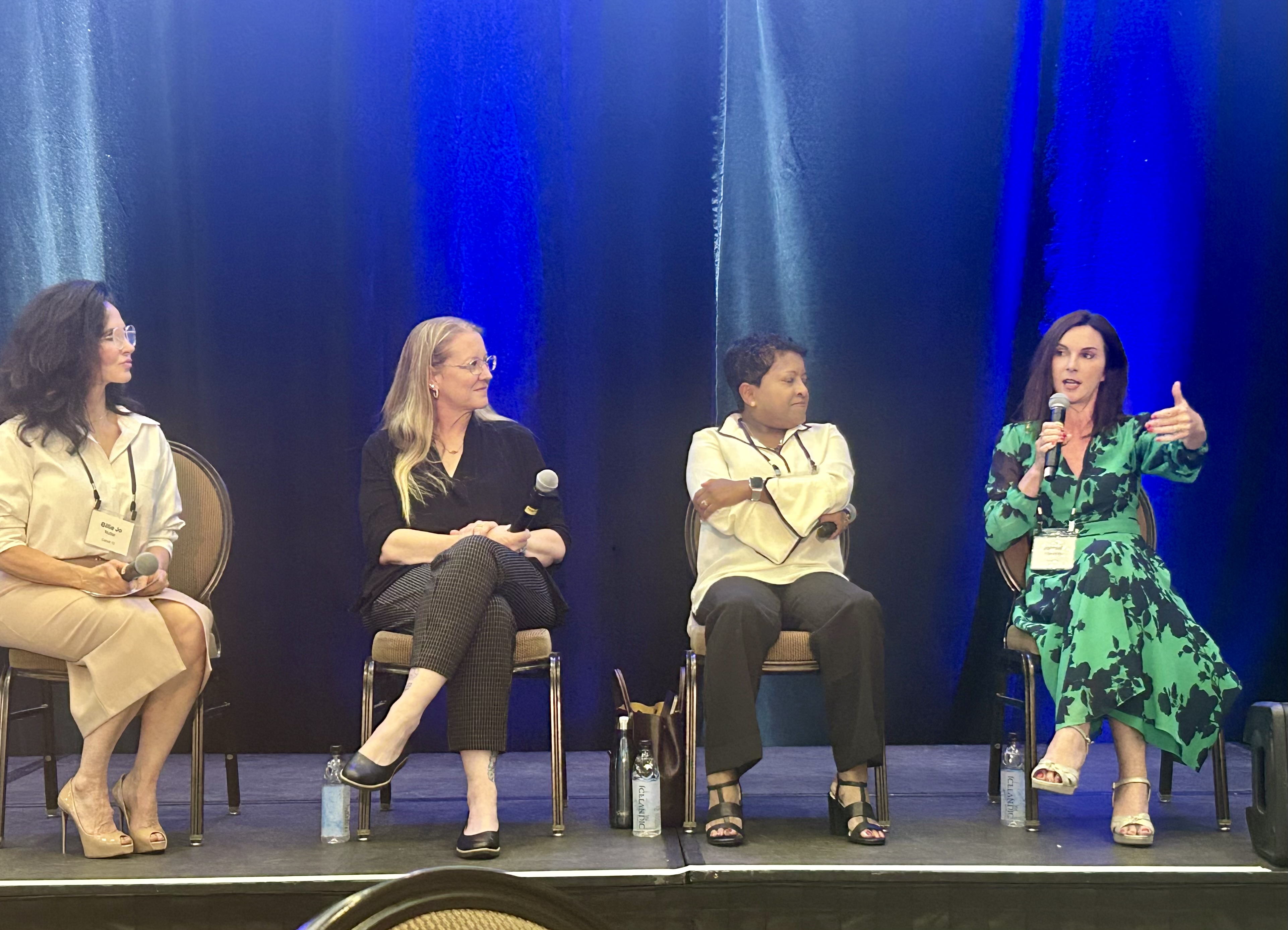
That mindset guided me recently when I spoke on a panel alongside some truly knowledgeable AI experts across industries—Amy “Amy H-R” Hanlon-Rodemich, Billie Jo Nutter, and Vasanthi Chandrasekaram. The audience? A powerhouse mix of industry-diverse scientists, Fortune 500 execs, government leaders, founders, and entrepreneurs – from both inside and outside of tech. People with no shortage of ideas and information hitting them daily.

So how do you make a topic like AI skilling resonate with an audience like that—without drowning them in jargon or fatigue? You demonstrate!

Making AI Skilling Memorable

I used Synthesia (I have zero affiliation) to bring an AI avatar I named Cynthia to life. She opened our panel, welcoming the audience, asking questions, sharing trivia, even cracking jokes. Think awards-show host meets moderator. It wasn’t about showing off the tech, it was about creating a memorable, relatable experience that made AI’s potential click.

And this is the bigger point: AI skilling doesn’t mean you throw out what you already know; it’s about extending those skills with new tools.

  • A marketer who scripts, storyboards, and designs can now spin up multilingual videos at scale.
  • A trainer who builds slide decks can create dynamic interactive learning modules.
  • A product manager who builds demos can deliver personalized walkthroughs across time zones.
  • Heck, a Chief Marketing Officer / Chief Business Officer can skill herself and build an interactive AI video for a speaking engagement.

Business Benefits for Adding AI Generated Videos in your Toolbox

  • Innovation: Enables you to experiment with novel storytelling with dynamic avatars and immersive experience (I had way more fun than building a powerpoint BTW)
  • Scalability: Training, demos, and communications can help teams with lean resources scale.
  • Speed: Content production timelines shrink from months/weeks to days/hours.
  • Consistency: Messaging stays accurate and on-brand every time.
  • Accessibility: Multi-language dubbing enables localization.
  • Engagement: Interactive avatars connect in ways static PDFs and presentations can’t.
  • Efficiency: Lower production costs for lean teams and lean budgets.

While AI generated video platforms are powerful for scale, speed, and accessibility, there are many cases where traditional video production remains the right choice.

High-stakes moments often demand the creativity, nuance, and emotional resonance that comes from working with skilled directors, producers, and film crews. AI-generated video is a fantastic tool in the professional’s toolbox, but it doesn’t replace the craft of full-scale production when the stakes call for it. It’s not about either/or, it’s about knowing when speed and scale matter most, and when human-driven storytelling makes the biggest impact.

For me, it’s another tool in the growing toolbox of an AI-enabled professional. The real power lies in knowing when to apply the right tool to amplify skills you already have.

Key Takeaways

  • Show, don’t just tell: Demonstrations make AI practical, not abstract.
  • AI skilling builds on strengths: storytelling, design, and communication translate into powerful new applications.
  • Tools like Synthesia expand the professional toolbox: enabling speed, scale, and reach.
  • Business benefits are tangible: efficiency, engagement, accessibility, and cost savings.

Smack in the Middle of the AI Skilling Revolution at General Assembly

I also come at this from a unique vantage point. At General Assembly, I’m fortunate to be right in the epicenter of AI workforce skilling—where training, experimentation, and innovation are what we do every day. We’re tool agnostic, but we have the benefit of being exposed to (and testing) many of the innovations emerging in the market. That perspective helps me see both the promise and the limitations of AI tools and why the broader conversation about AI skilling matters so much.

Want to learn more? Empower your teams with in-demand AI skills through hands-on, customizable training, designed to unlock the full potential of AI across your entire organization. From leader to individual contributor, we have you covered.
Implementing a digital worker isn’t just a tech deployment, it’s a people, process, and product orchestration.

We are implementing a digital worker in our contact center named GAbby (yes, clever).

Implementing a digital worker isn’t just a tech deployment, it’s a people, process, and product orchestration. I’m going to build out loud here and share real life reflections from our current implementation (given that General Assembly trains on AI, it only makes sense that we too have it embedded in our own workflows.)

When we implemented “GAbby,” our AI digital worker in our Admissions Contact Center, the pilot was laser-focused on measurable outcomes: throughput, transfer rates, incremental enrollments, and cost savings. We didn’t treat it as a tech experiment—we treated it as a business experiment.

At the surface, implementing an AI-powered agent like GAbby might seem straightforward: feed it some data, map out a call script, and launch. But the reality is far more nuanced. This initiative highlighted several truths about successful digital worker implementation:

1️⃣ Training is as much about guardrails as it is about knowledge.
It’s not enough to train the digital worker on what to say. You must also rigorously define what not to say. GAbby’s early responses hallucinated offerings (like free project management courses) simply because adjacent words appeared together in queries. When AI can access broad public data, constraining its knowledge base to reliable, vetted sources is critical for brand trust and compliance.

2️⃣ Words matter more than ever.
Changing “SMS” to “text message” seems trivial, but this small fix made the agent feel more relatable. The language used by AI must reflect your customer’s voice, not robotic syntax. The user experience is judged on tone as much as accuracy.

3️⃣ Cross-functional collaboration is non-negotiable.
This wasn’t just a “tech project.” Ops leaders framed user scenarios. UX experts evaluated conversation flow. Engineers handled system constraints and testing. Vendors (thx OutRival) contributed platform and expertise. Success only came when these perspectives aligned, especially around what “done” truly looked like.

4️⃣ Personalization requires planning.
Personalizing conversations based on previous interactions or user data makes agents feel smarter, but only if the underlying CRM hooks, lead mapping, and data flows are in place. GAbby’s ability to personalize is promising, but it must be stress-tested across real-world variations and we know iteration is coming.

5️⃣ Launching isn’t the end, it’s the beginning.
Everyone involved treated this launch not as a final product but as a live experiment. There was an openness to iterate based on real interactions. That mindset (launch, listen, learn, and improve) is essential to evolving a digital worker from functional to exceptional.

Digital workers (like GAbby) will increasingly become teammates in service and sales. But without intentional training, thoughtful language design, and tight operational alignment, they risk becoming more alienating than helpful. As this project showed, the AI is only as good as the humans who build, guide, and refine it.

Prompt Skilling Progression and Proficiency

For a business term, I’ll call this something like “prompt skilling progression and proficiency,” but here’s what employee upskilling with AI actually looks like in real life. I’ve seen this play out across teams and orgs of all sizes.

Download PDF of 10-Step Prompt Skilling Progression

Phase 1: Skeptical Curiosity
Fine, I’ll use AI and see what it’s all about. I don’t trust it though.

Phase 2: The First Prompt
Employee opens the AI chat tool of the moment (ideally one with a compliant enterprise account, but this post isn’t about that) and enters something basic like: “Write an email to X person about Y topic.” Wow, cool. That was helpful.

Phase 3: Writing Assistant Era
Employee starts asking the tool for more writing help: “Write an article about X topic.” “Create a blog post about Y.” Dang, that’s awesome.

Phase 4: The Experiment Zone
Now comes the flurry of both serious and fun prompts.
Serious: “Write a memo to leadership about these findings,” with a copy-paste avalanche of fragmented info that turns into a polished output the employee is thrilled to have expedited.
Fun: “Write a funny five-year anniversary note for my colleague Brenda. She’s in Dallas, works in media, loves orchids.” The AI nails it. The employee tweaks it slightly and posts it to Slack or Teams.

Phase 5: Strategic Prompting
The prompts evolve: business plans, project plans, go-to-market strategies, summaries, sales talking points, market scans.
Employee discovers they can upload files, images, and documents. (Hopefully on the enterprise version. Big plug for that.)

This post is about what I see with prompt upskilling, but just to say it: Using public AI tools can pose serious risks if you’re entering sensitive or confidential information. These platforms may store prompts or responses, potentially exposing proprietary data or personal details. That’s why secure, enterprise grade AI tools are essential: they offer data encryption, access controls, and usage governance to ensure your information stays protected.

Phase 6: Prompt Perspective Shift
Then it clicks: you’ve only been prompting “as yourself.” You start giving clearer instructions about what you want back, in what format, and using which inputs.
You learn to prompt as an industry expert outside your role. You ask for sources. You ask for thinking. The AI delivers.

Phase 7: Structured Prompting
Time for a major prompt evolution:
Employee learns to prompt using taxonomies that include role, request, goal, instructions, considerations, tone, style, and output format.
Example: “Act as a strategic marketing advisor with expertise in quarterly planning, audience analysis, and content campaigns across multiple channels.”

Phase 8: Prompt Hoarding
The prompt library begins. Word docs and spreadsheets start piling up. LinkedIn saves stack up. All of it might be useful one day.

Phase 9: Prompt Overload
Weeks pass. Employee is drowning in saved prompt docs across cloud folders and shared drives. Can’t find that one prompt from last week.
Still tries to send them along to help a prompt newbie.

Phase 10: Prompt Infrastructure Seekers
Employee starts hunting for tools that offer a searchable, categorized prompt database to make this curated chaos usable again.
Because the productivity gain of great prompting is now being slowed down… by all the prompts.

Oh, the irony.

Lessons from an Automation Fail

Many years ago, I had an epic automation fail that taught me a big lesson in tech implementations. It’s the kind of lesson you only need to learn once before it changes your understanding of the success drivers during digital transformation. My buddy Corey Miller would refer to this as a Red Learn (fail) and a Green Learn (growth).

I’m an operator, so naturally I look for ways to drive efficiency, optimizations, and scale.

Imagine you had to manually send out application deadline emails every 8 weeks, for 800+ different online programs, across 60+ education institutions day in and day out. This is a perfect use case for email automation (table stakes today, but novel back in the day). Let’s zip past the 💪Herculean effort to gather business requirements, select the vendor, do the implementation and customer config. This isn’t about that.

Let’s just get to the part where we built a great master template that had a bidirectional sync with all the necessary compliance, content, and data to power a single automated program (where operators swoon). This template pulled in 26 dynamic content field to ensure it matched the right program and institution – things like, the actual deadline date, the school name, the logo, the program name, the key value props, tuition cost, apply now link, etc.

So what happened?

The automated program worked as intended technically speaking. But here’s where the ‘uh-oh’s were:

  • Among those 800 different program names? Masters of Business Intelligence was spelled wrong (🤦‍♀️face palm for being spelled Intellgence) in the original CRM set up that it pulled from. That field was never intended to be public facing and so it wasn’t QA’d back in the day. Just correct the typo you say? We did, which then broke 11 different business reports that were integrated with that data field. Other departments depended on those reports – not great.
  • How about that easy date field? 🤦‍♀️Uh-oh, we didn’t accommodate the day/month vs month/day formats across countries. We just manually knew to reformat.
  • How about that tuition field? 🤦‍♀️Uh-oh, we didn’t have a data governance protocol for ensuring all 800 programs were maintained with price adjustments as time went on.
  • How about that Apply Now link? 🤦‍♀️Uh-oh, several pointed to a URL that we didn’t have control over and no mechanism to know if it changed and thus gave recipients a 404.

Here’s the big learn: Your data is the foundation of success; so are the business processes around data governance and maintenance. Do not underestimate this part. If you’ve seen this movie before, it doesn’t matter what tech project you’re working on, you enter it with a healthy respect for your data strategy.

It’s also why you know that implementation will be 20-30% longer that that lovely original timeline if your data strategy is not ready. But, this all solvable. And it’s a skill. So go thank and fist bump the Business Analysts, Data Folks, PMs, Delivery, and Process/Workflow people in your life.

What makes a team high-functioning?

“Ok, here’s the roadblock, but we can totally figure this out. I have a plan on how we can tackle it.” ⏳ 4 hours later…..

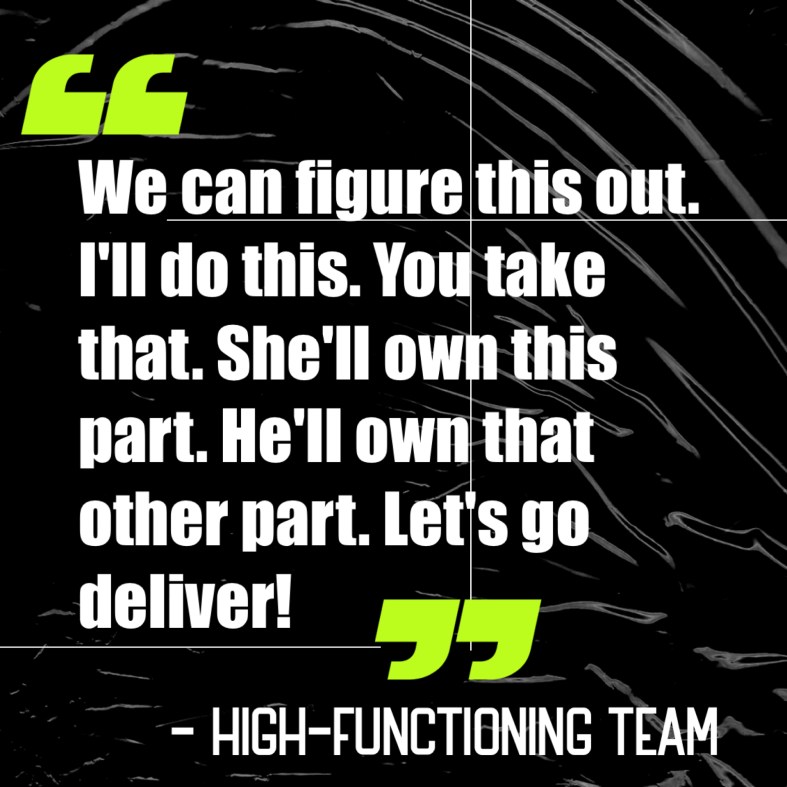
“Ok team, thanks for the rapid problem-solving meeting. We’ve now prosecuted the plan. Triage is underway. To recap, I’ll do this. You take that. She’ll own this part. He’ll own that other part. Now let’s go deliver! We’ve got this. See you back here in 24 hours to confirm our collective resolution and success.”

What to do when you hit that inevitable project roadblock

The above are conversations that transpired on a super thorny, complicated, tech project. Hitting a roadblock on a technical project itself is never a surprise. C’mon, you know the kind – tons of systems, tons of competing priorities, tons of stakeholders, not enough time, unforeseen downstream impacts of something not operating as intended (say what? never). Then that heat that envelopes a team nearing the go-live deadline – and 💥 – big roadblock emerges and someone has to call an audible.

We overcame such a project this week and it had me thinking about what makes a team high-functioning. I saw it in action. I was in the thick of it with them (and I’m morbidly captivated to moments like this because I’m obsessed with the power of human connection and its resulting achievements). Days later, I’m still reflecting on how proud I am of what the team overcame and ultimately accomplished – not just the ‘what’, but our ways of working (and treating each other) while doing the ‘what’.

I’ve routinely noticed 2 FEELINGS that make all the difference:

  1. Trust (I trust my co-worker to do his/her part and they can count on me to do mine)
  2. Winner’s Mindset (I believe we can conquer this and find a successful path forward)

High functioning team members have innate accountability

My next observation after calling the audible was our Head of Product Marketing saying, “I understand the roadblock and I have a triage plan we could rapidly execute to navigate this. It comes with tradeoffs so let’s assemble the team now and prosecute it.” She did this unasked with total ownership. Then our Senior Technical Product Manager did the same thing, but on the technical side.

Back the “what” – here’s what the team did:

uh-oh moment ➡️ project audible called ➡️ roadblock identification ➡️ areas of ownership established ➡️ rapid problem-solving as a group ➡️ plan created ➡️ tradeoffs explored ➡️ expectation setting ➡️ stakeholder alignment on triage-plan ➡️ divide and conquer to execute ➡️ plan activated

This all happened in hours – not days and weeks, HOURS.

Today we celebrated that we ‘did the thing’. Internal comms went out about our go-live and the action plan to finalize all the remaining to-dos. Remember those tradeoffs? People typically won’t be upset about tradeoffs so long as you set clear expectations and get buy-in along the way.

This is where it’s important to have durable skills, not only hard technical skills.

A CMO’s Perspective on How AI is Changing the Marketing Discipline

No tech skill is animating today’s business leaders and workers alike quite like artificial intelligence. As AI redefines the future of work, organizations are faced with the critical task of building, re-skilling, and augmenting their workforce. This is certainly true of the marketing discipline as well.

3 Ways Marketers are Leverage AI

  1. Within our existing marketing tools – This is where new features are being rolled out within our existing embedded industry tech stack that augment productivity (like Adobe Express with an embedded AI image generator and AI assistants. AI is being implemented in our standard MarTech tools – from media buying and email automation tools to project management and content platforms). Take the project management AI assistant; we use it for automating answers, summaries, tasks, field completion, milestone creation, and updates.
  2. Individualized blue sky use – This is where marketers are creating their own role-specific use cases. Marketers are looking at time spent on manual repetitive operational tasks (very unique to their specific to-do list) and figuring out how to leverage AI. A few examples: one marketer on my team cut down by 85% the amount of time spent on identifying spam leads in a big .csv file. They did a prompt on what to look for and it also provided the Python input. I have another marketer who uses it to draft requirements documents as a starting point, and many content creators are obviously leveraging it.
  3. Novel marketing capabilities – This is where AI is unlocking completely new ways to engage audiences, leverage data, and drive innovation. We’re now able to tap into capabilities that previously seemed aspirational but are becoming reality through AI’s rapid evolution. For instance, AI is enabling hyper-personalized marketing at scale, allowing us to dynamically tailor messages, offers, and creative content to individual preferences and behaviors in real-time. Predictive analytics and learning models are also transforming customer insights, enabling us to not only anticipate needs but also actively shape customer journeys in more intuitive, responsive ways. We recently piloted an AI admissions rep (i.e., a simulated representative) who now conducts the initial conversations with students via call, text, and email. Key to this is using the right company-owned data to ensure we give prospects correct information.

AI’s Impact on Marketing Isn’t Just for Increased Productivity; It Also Impacts Cost Efficiency

We’ve seen an 18% decrease in cost per lead through AI-based campaign optimization. By analyzing vast amounts of behavioral and contextual data, AI can now recommend optimal ad placements, creative choices, and delivery timings based on precise customer segment analyses. Continuously optimizing campaigns to improve budget efficiency, while saving time on manual analysis. Important to this:

  • Success is predicated on the quality of your AI model – must have quality data inputs from trusted sources. Ideal customer profile and accurate targeting.
  • Marketing teams need to be upskilled to have basic data analytics skills. They can’t trust AI if they don’t understand the inputs/outputs.

We Have to Rapidly Close the Skills Gap for AI in Marketing

We see a massive skills gap that the marketing industry needs to address if we want to see a sustainable long term pipeline of tech savvy marketing talent.

At General Assembly, We partner with employers to help them upskill their marketing teams for the AI era. Let me give you a concrete example: we work with Adobe to create a pipeline of young, tech savvy creative and marketing talent. Two new General Assembly bootcamps on marketing and content creation are enrolling students from communities underrepresented in tech – with Adobe covering all costs for them.